Company/Trust Structures in Chief 2.0
 Updated
by
Caroline Pollard
Updated
by
Caroline Pollard
Some loan applications use a Company or Trust structure, where the borrower and security owner is a Company or Trust, and the guarantors are the Company’s directors or the Trust’s beneficiaries.
Creating a new deal
When setting up a new deal:
- Start by selecting Add New
- Select New or Existing Client
- Add the Company as the Client
- Add Trust as the Client
- Add Directors or Beneficiaries as Servicing Guarantors
Trustee details, company individuals and beneficiaries do not need to be set up in this screen.
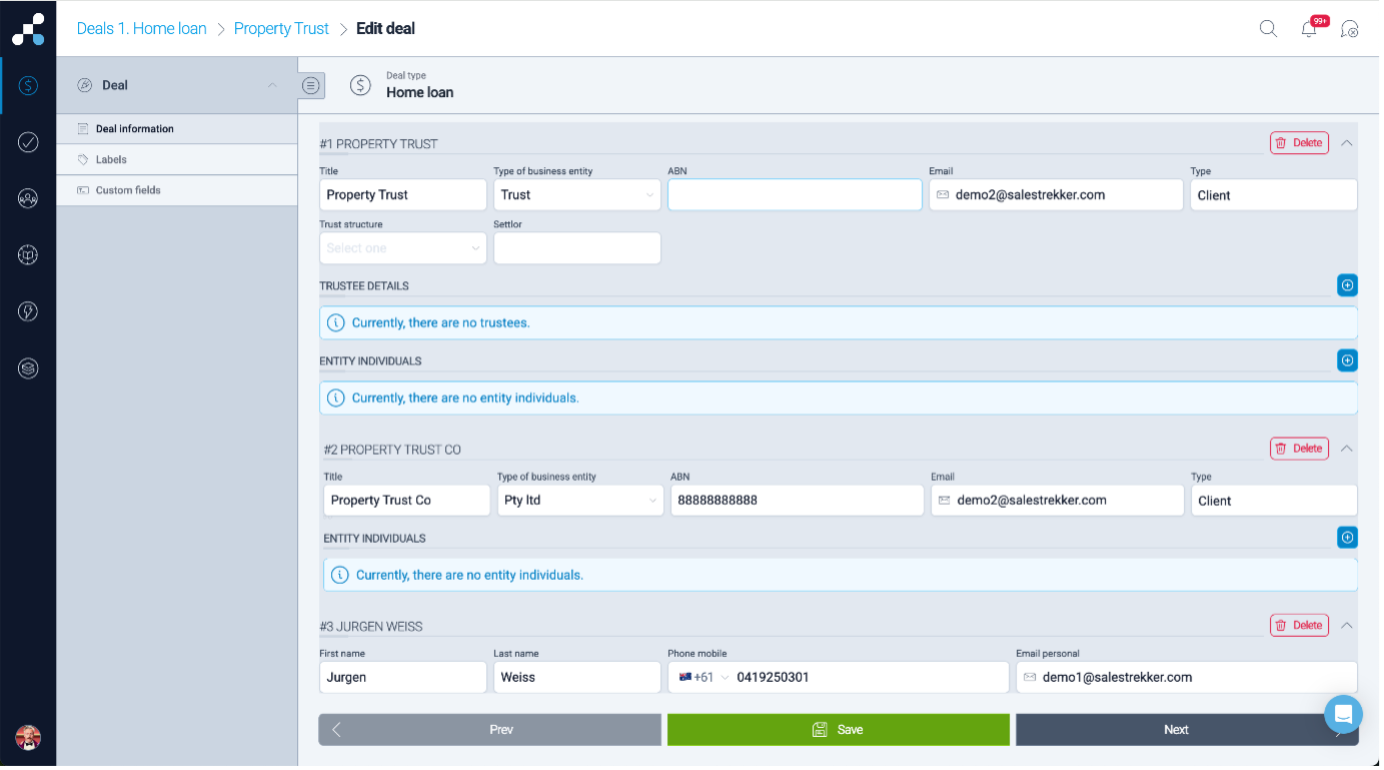
Once completed, your deal structure should reflect the Company / Trust setup.
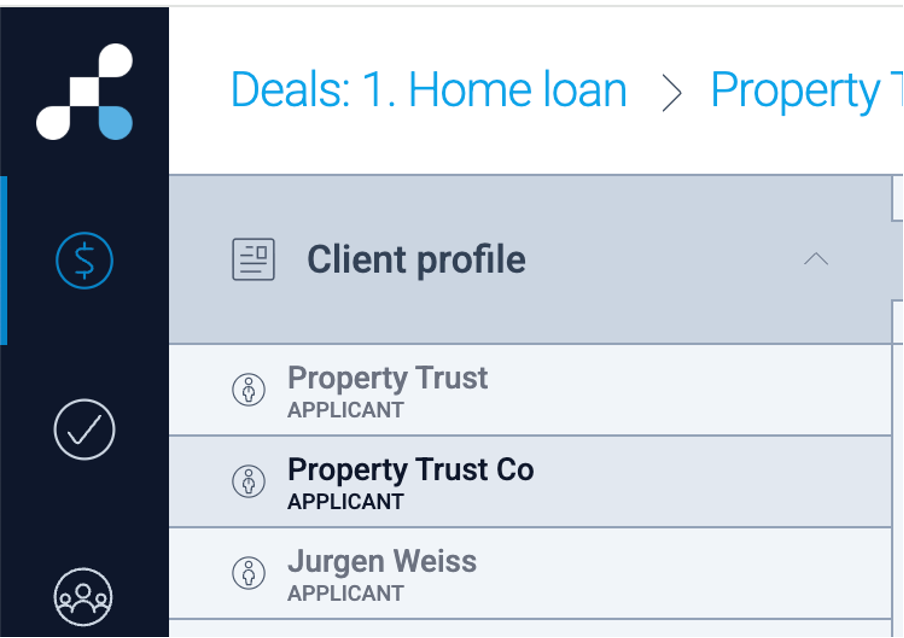
Set up Company / Trust in Home Loan Tools
In Home Loan Tools:
- Open the Trust client
- Add all relevant trust information and contact details ie Email and Phone number
- Add the existing Trustee (already added during the
step) - Add all Trust beneficiaries
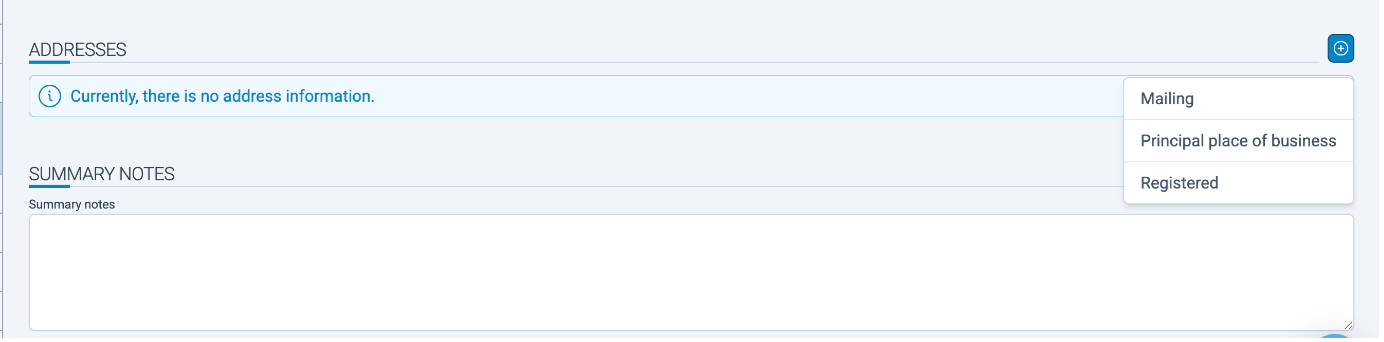
- Add Trust addresses and any required notes
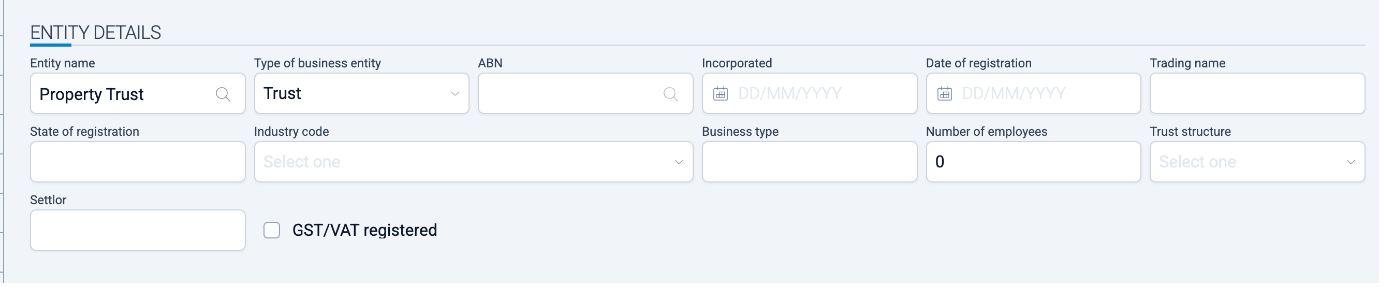
Add existing Trustee (one added in Add New Deal screen) and add trust beneficiaries:
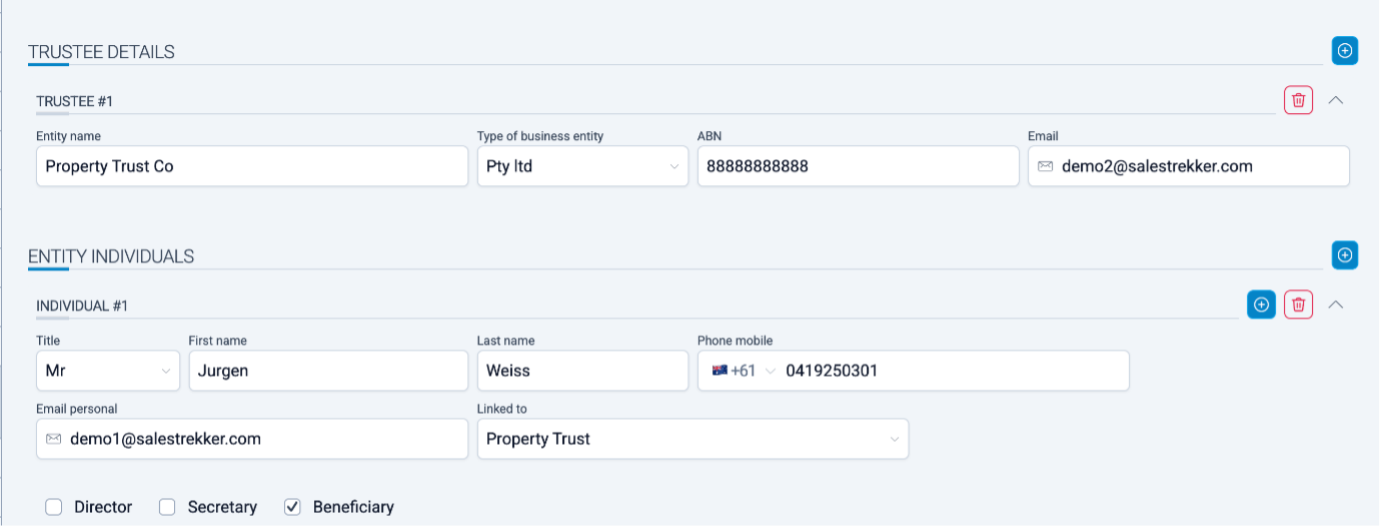
Add Trust addresses and any notes if required:
Set Up the Trustee (Company)
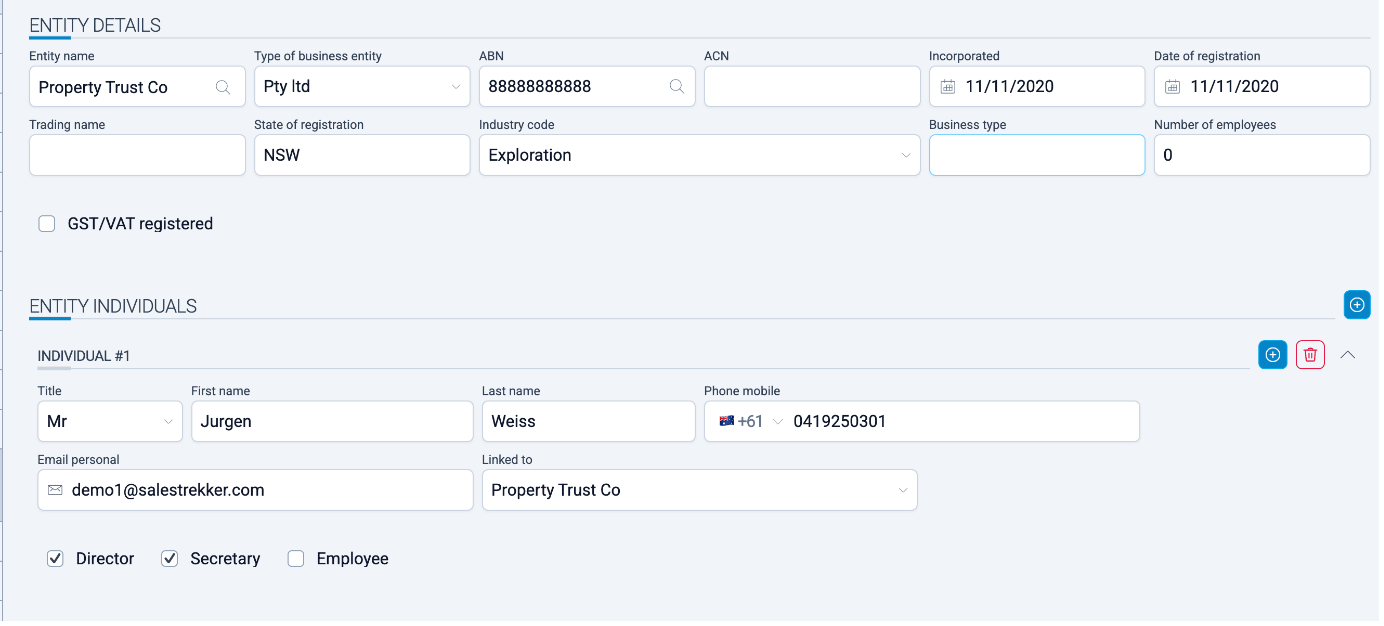
If the Trustee is a Company:
- Add the Company details
- Add Entity Individuals
- These are typically existing Servicing Guarantors added during the Add New Deal step
Security and loan ownership
Ensure the following is correctly set:
· Security Ownership: 100% Trustee Company
· Loan Ownership: 100% Trustee Company
Lodgement
Before submission:
- Push the deal to the relevant lender gateway
- Confirm that the Company / Trust / Guarantor structure is correctly reflected in the gateway prior to lodgement
